Posts mit dem Label Campaign Tracking werden angezeigt. Alle Posts anzeigen

Samstag, 18. August 2012

Surveys for Microsoft Dynamics CRM 2011


Surveys for Microsoft Dynamics CRM 2011

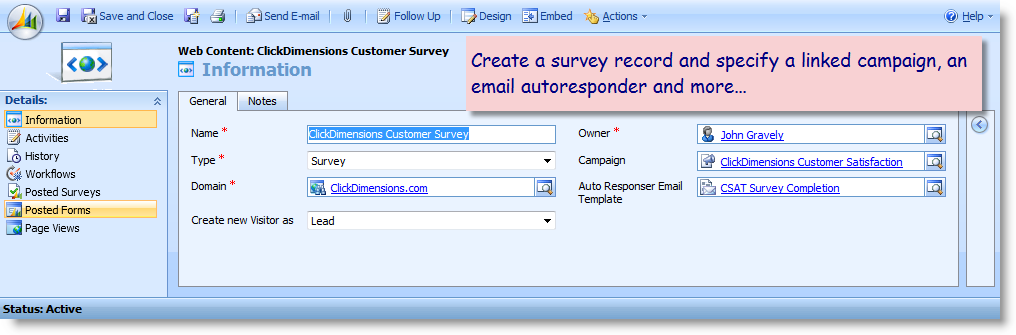
ClickDimensions makes it easy to create surveys with our drag and drop survey designer. The surveys may be emailed to Leads, Contacts and Accounts and may even be linked to Case records. Surveys may also be posted as pages so they can be completed by Anonymous Visitors. When a respondent completes a survey all the data the visitor submits is linked to their CRM record.
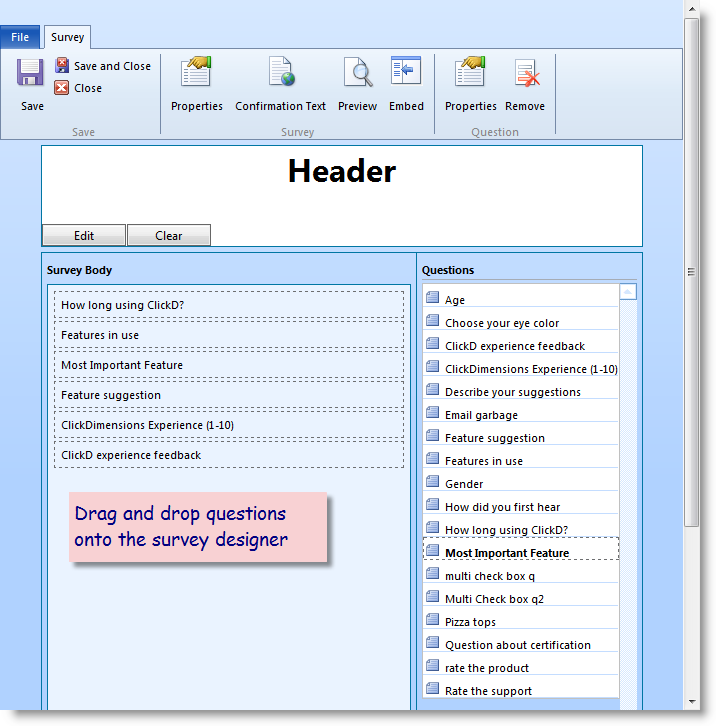
Drag and drop designer

Simple Survey creation process

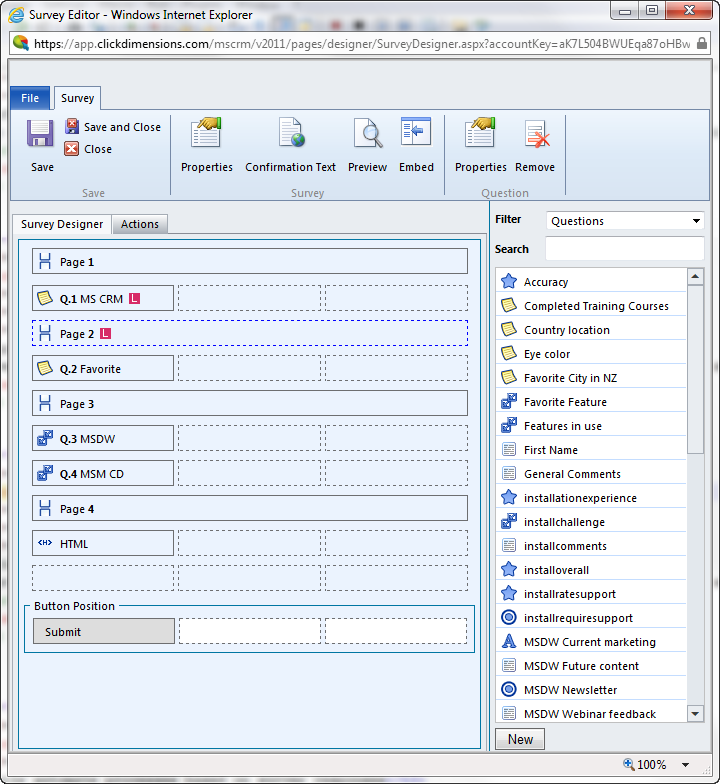
Create your questions, drag them onto a page and make it look how you want with a custom header, footer and confirmation message. That's all it takes. ClickDimensions drag and drop survey designer makes it easy to create surveys without having technical skills.
Drag and drop designer

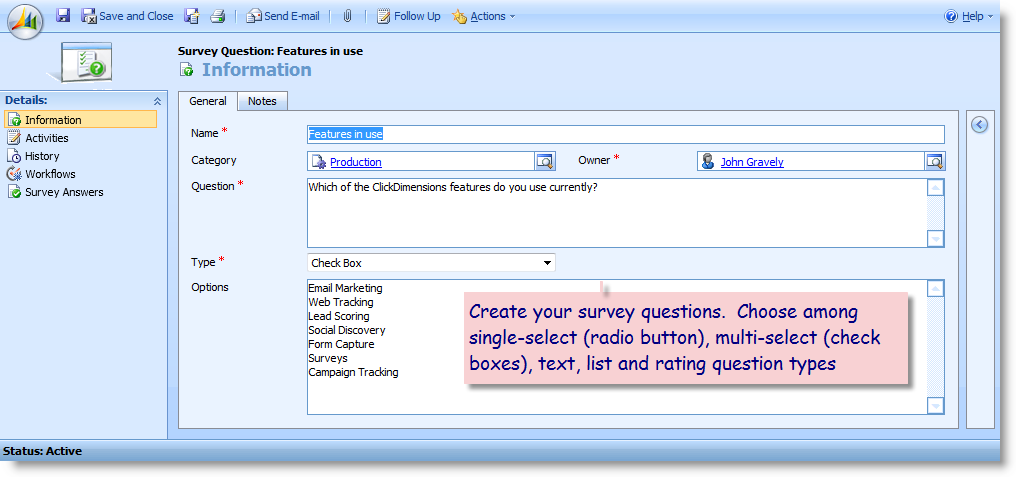
Configure flexible questions

Create various types of survey questions including rating scale, list, single-select (radio Button), multi-select (check boxes) and text. Arrange the questions however you want on the survey.
Drag and drop designer

Skip Logic on survey questions and pages

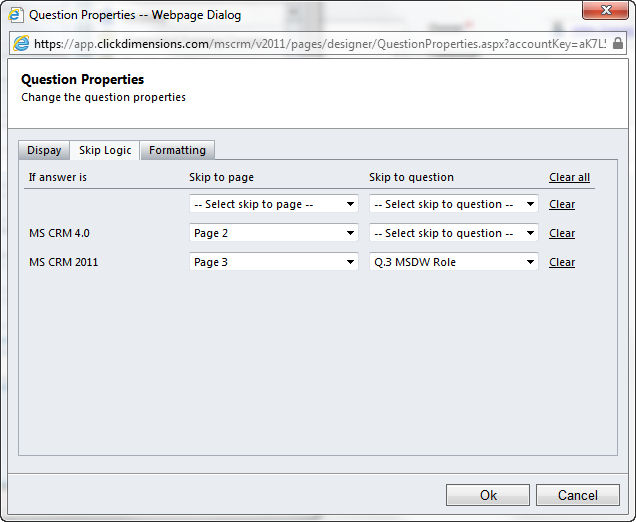
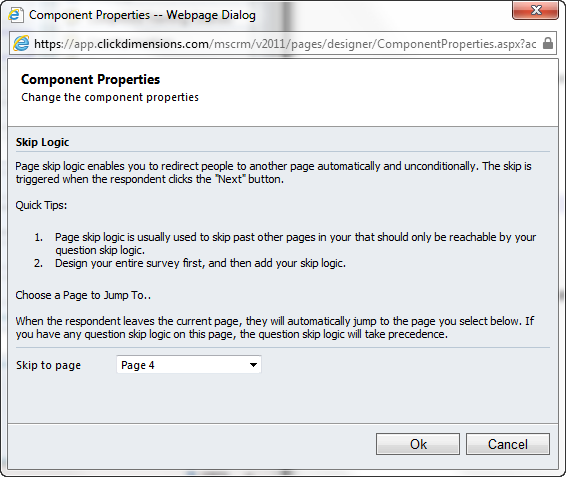
ClickDimensions surveys have configurable skip logic at both the page and question level. This allows you to skip past individual questions or entire pages of questions based on which responses the respondent chooses. Configuring ClickDimensions skip logic is simple and flexbile
Drag and drop designer

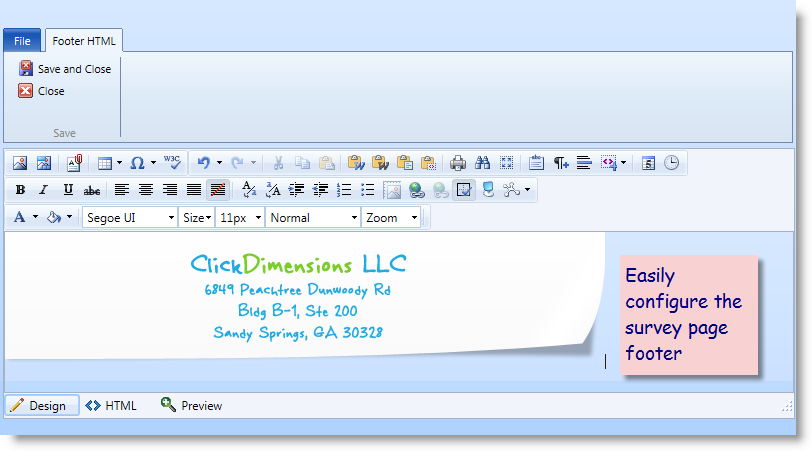
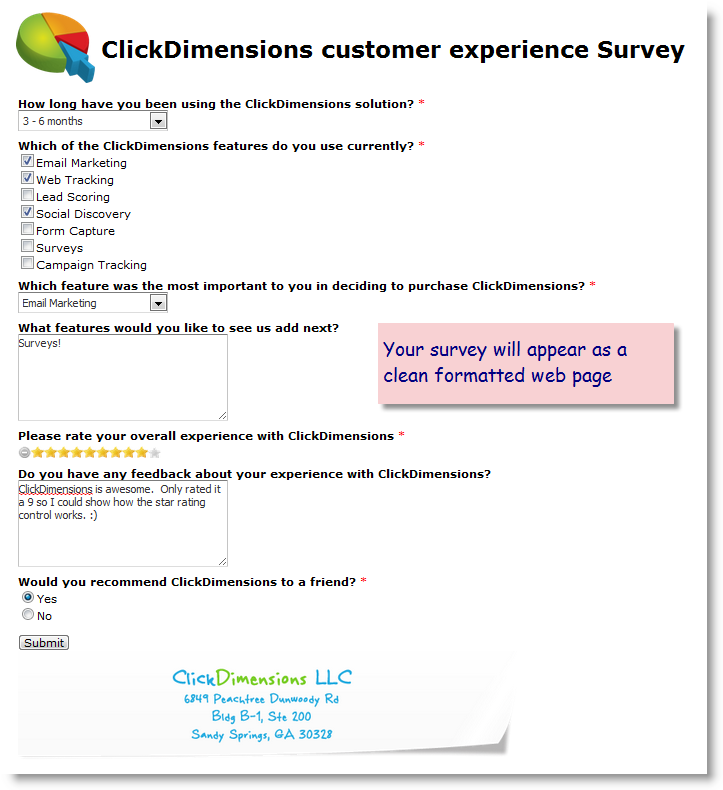
Style your survey page

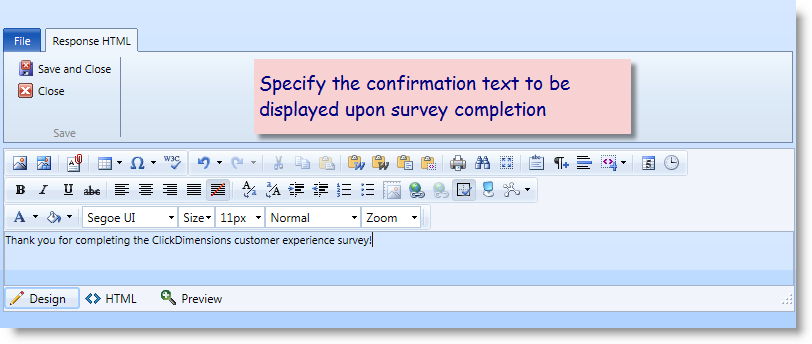
Easily configure your survey page header and footer to have any look and feel you desire using our 'what you see is what you get" editor. Configure any confirmation text or HTML to be displayed when the survey is submitted.
workflow

Easily automate processes based on survey responses

When someone completes a survey you can easily automate processes based on certain responses. For example, if you ask the respondent to rate your service on a scale of 1 to 10 you can use CRM workflow notify people internally of any rating below a certain threshold.
Add to Cart More Info

Form Capture for Microsoft Dynamics CRM 2011


Form Capture for Microsoft Dynamics CRM 2011

ClickDimensions makes it easy to create web forms with our drag and drop designer or to integrate your web site’s existing forms into Microsoft Dynamics CRM. When a visitor completes a form, his or her email address is checked against all email addresses in CRM to avoid duplicate data. Lead or Contact records can be created for visitors who are not already in your CRM and all the data the visitor submits on the form is linked to their CRM record.
Drag and drop designer

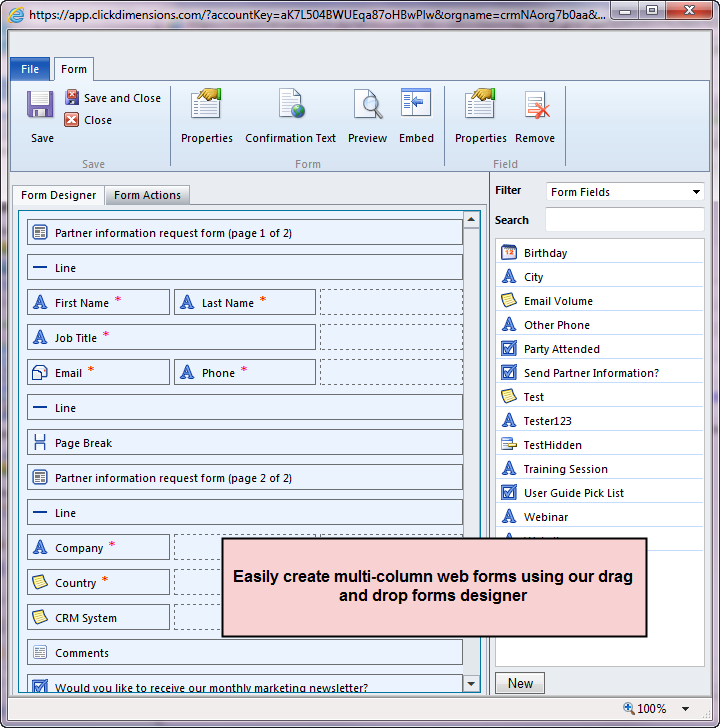
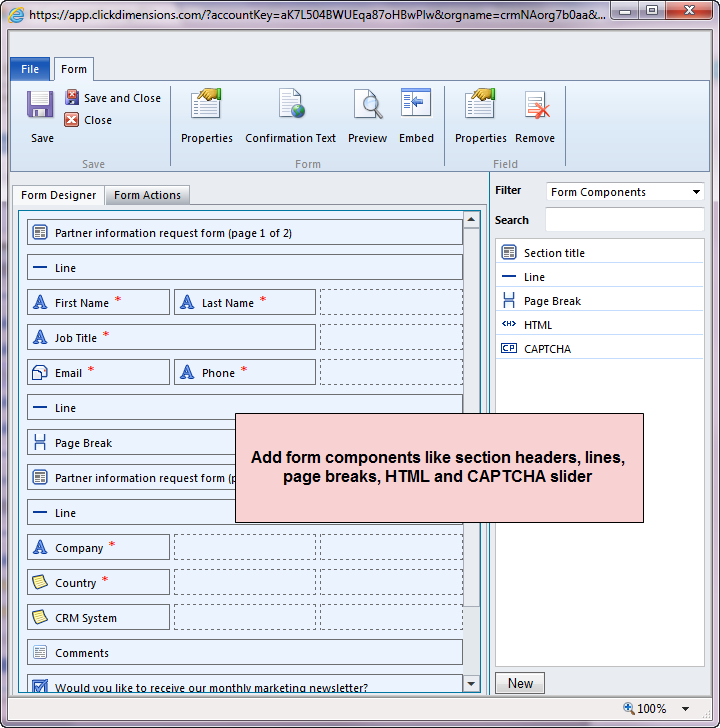
Drag and drop form designer

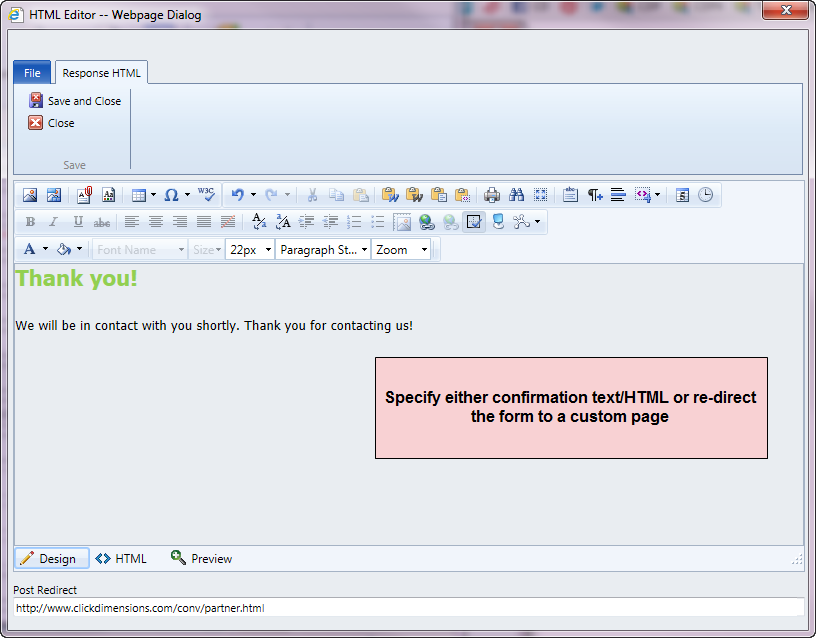
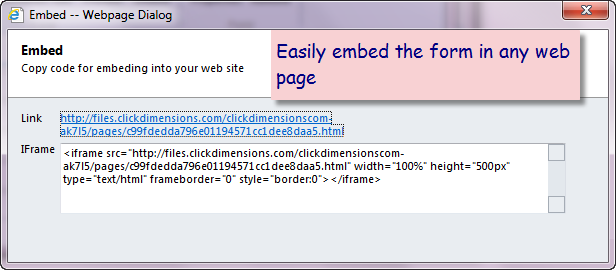
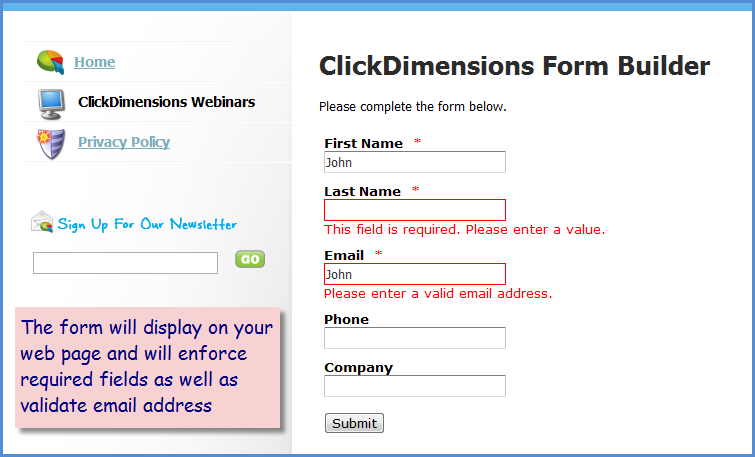
ClickDimensions drag and drop form designer makes it easy to create a form without having technical skills. Simply drag the fields you want onto the form, order them how you want and then specify the message to be shown to the visitor upon form completion. Any fields you specify to be required will be enforced on the web form automatically and the visitor’s email address will be checked to ensure that it is valid. The form designer provides the iframe code to embed the form in any of your web pages and also provides the full form HTML for those who want to edit the form further.
Easily configure your global form fields

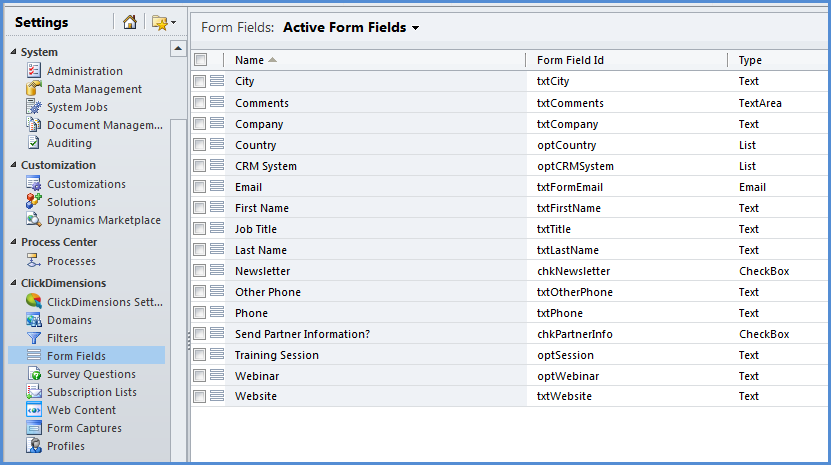
Configure your global form fields

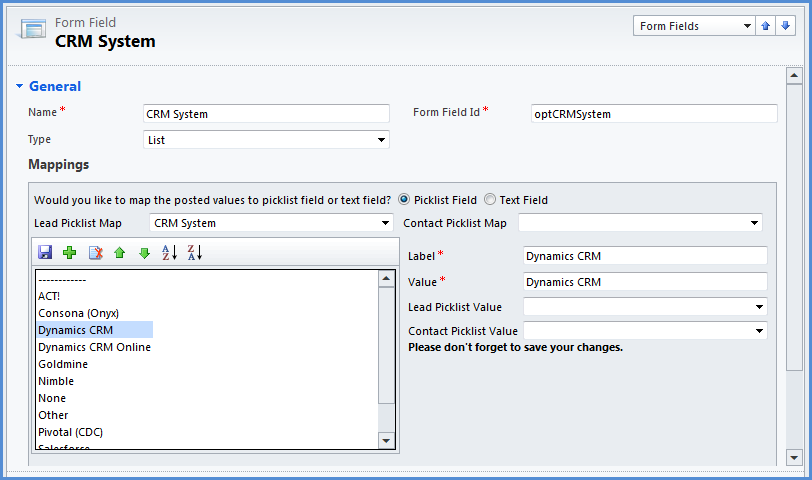
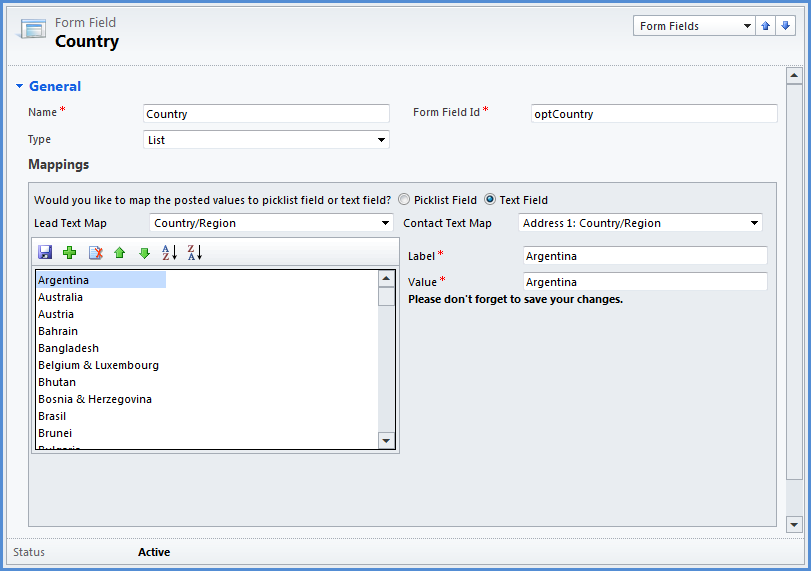
The first step to integrating your web forms to CRM is to add the form fields you use on your site into our form fields area with Microsoft CRM. For each field (e.g. email, city) simply create a web form field entry and map the values to the appropriate values on CRM Lead and Contact records. You only need to create one ClickDimensions form field record per field (e.g. create ‘city’ once and use on all forms). Next step, create your form capture records (this is also the last step).
Map your field values

Map your field values

Because visitors to your site will either not be in your CRM already or will be in your CRM as a Lead or Contact, ClickDimensions will either create a new, de-duplicated, Lead record or update an existing Lead or Contact record if a match is found. Our form mapping mechanism allows you to specify how you would like the values the visitor provides to flow into the CRM Lead or Contact record.
Configure your form captures

Build your forms or link existing forms to CRM

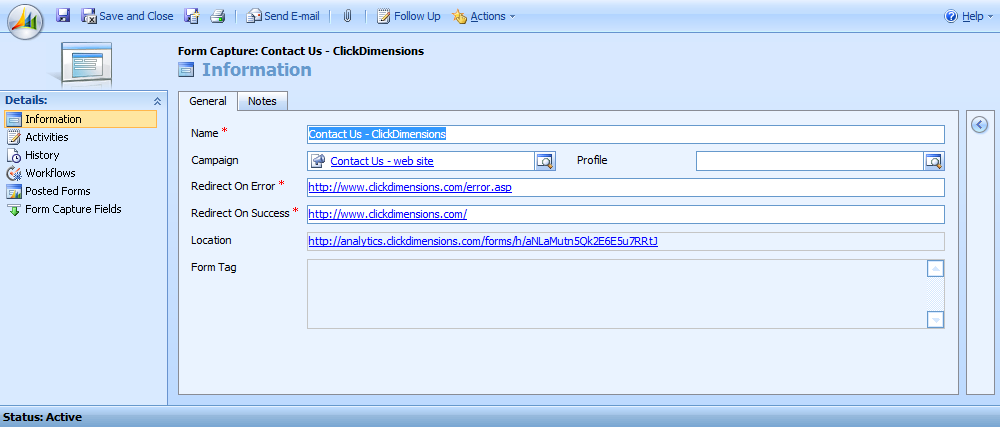
Once you have configured your web form fields, you then use our drag and drop designer to create your forms. Or, if you want to link existing forms, you simply create ClickDimensions form capture records for the forms you want to link. If you use the drag and drop designer our solution produces iframe code that you can embed in any existing web page. If you are linking existing forms, you simply enter the name of the form you want to link to CRM, associate one or more of the form fields you configured in CRM and tell the form capture where to re-direct the visitor when the form has been submitted. ClickDimensions will generate a URL that can be substituted for your existing form action. 
Add to Cart More Info

Campaign Tracking for Dynamics CRM 2011


Campaign Tracking

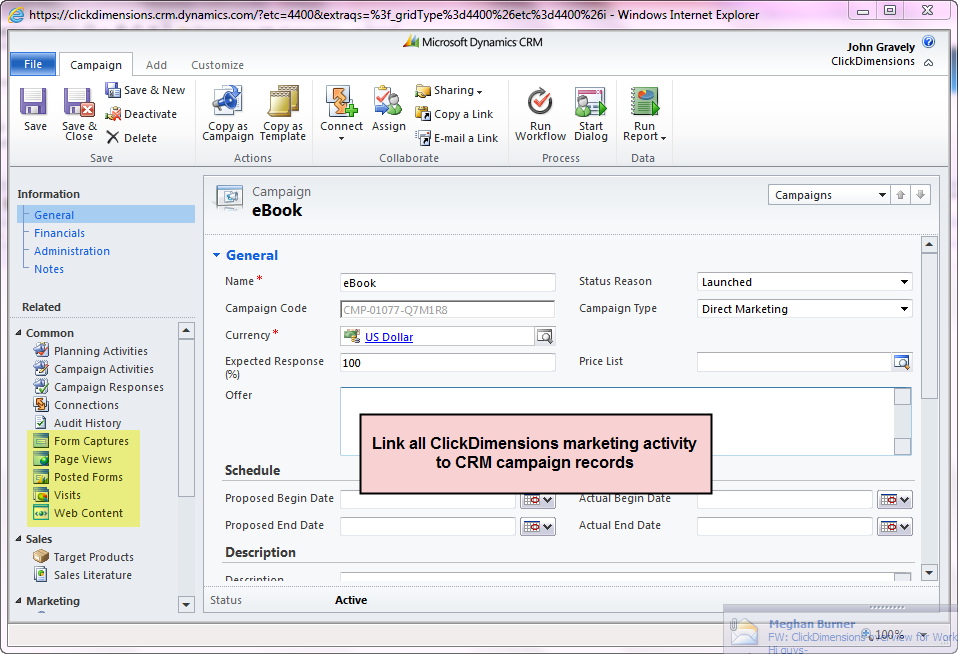
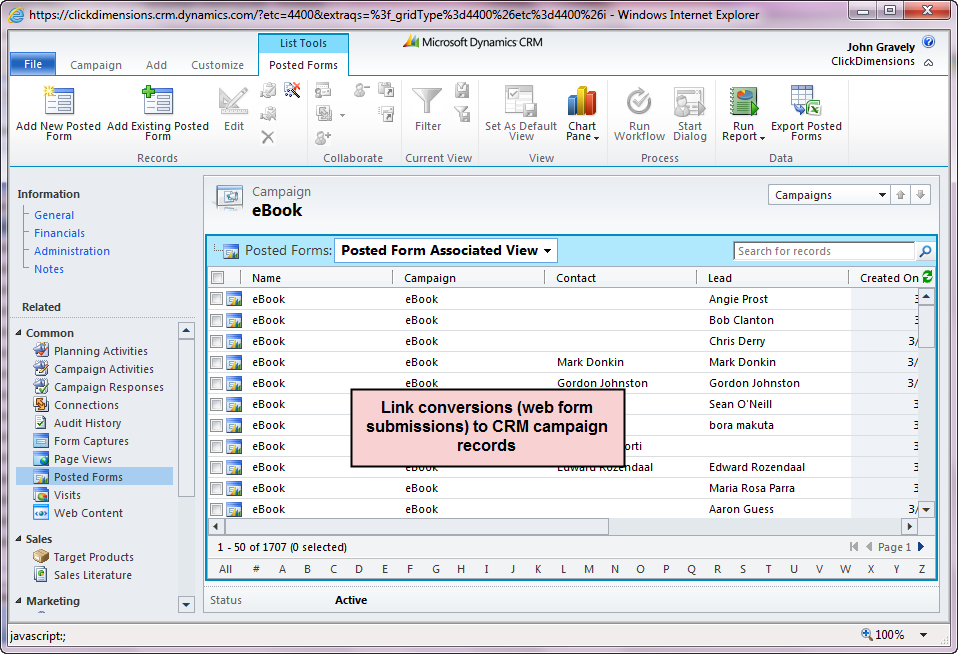
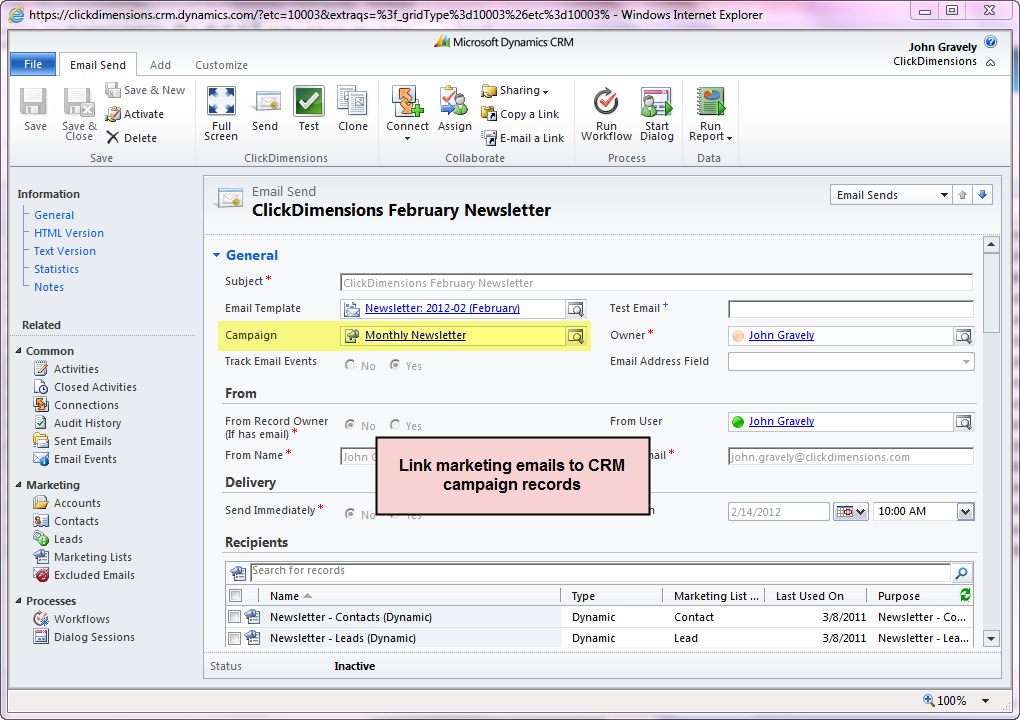
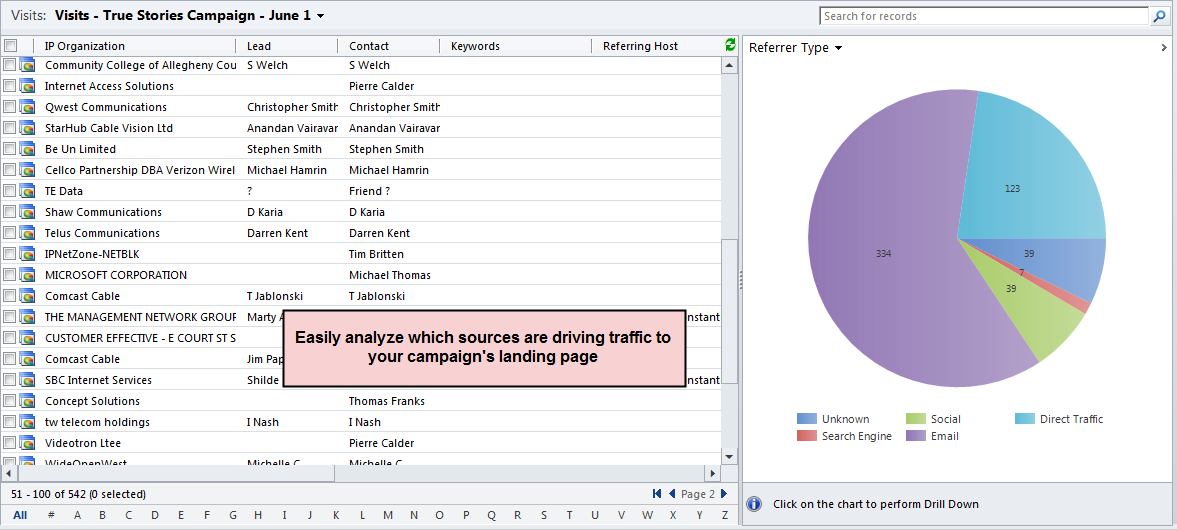
ClickDimensions emails, web visits, page views and form captures records can be linked to CRM campaign records.
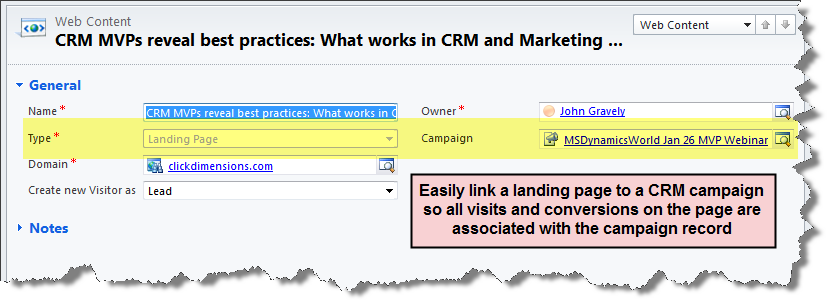
Link web forms and pages to CRM Campaign records

Link emails, web visits, page views and form captures to CRM Campaign records

For different types of marketing it is helpful to be able to link landing pages web forms to your Microsoft Dynamics CRM Campaign records. This will allow you to associate all activity and conversions to the campaign record in CRM so you can see and analyze it in one convenient place. Creating the link between CRM campaigns and ClickDimensions emails, web forms and landing pages is as easy as point and click and allows you to track everything back to the CRM campaign.
ClickDimensions Data SheetDownload the ClickDimensions Marketing Automation Data Sheet
ClickDimensions Web TrackingWatch the ClickDimensions Overview video
Add to Cart More Info